Pinterest Analytics: 7 Metrics That Predict Growth
Saves per pin, save rate, click-to-save ratio and four more numbers worth a monthly review — and the ones to ignore.
Read the guideTurn any link or idea into scroll-stopping Pinterest pins — with editorial layout, real typography and copy written to be saved. Eighteen templates, three ratios, no design skills needed.
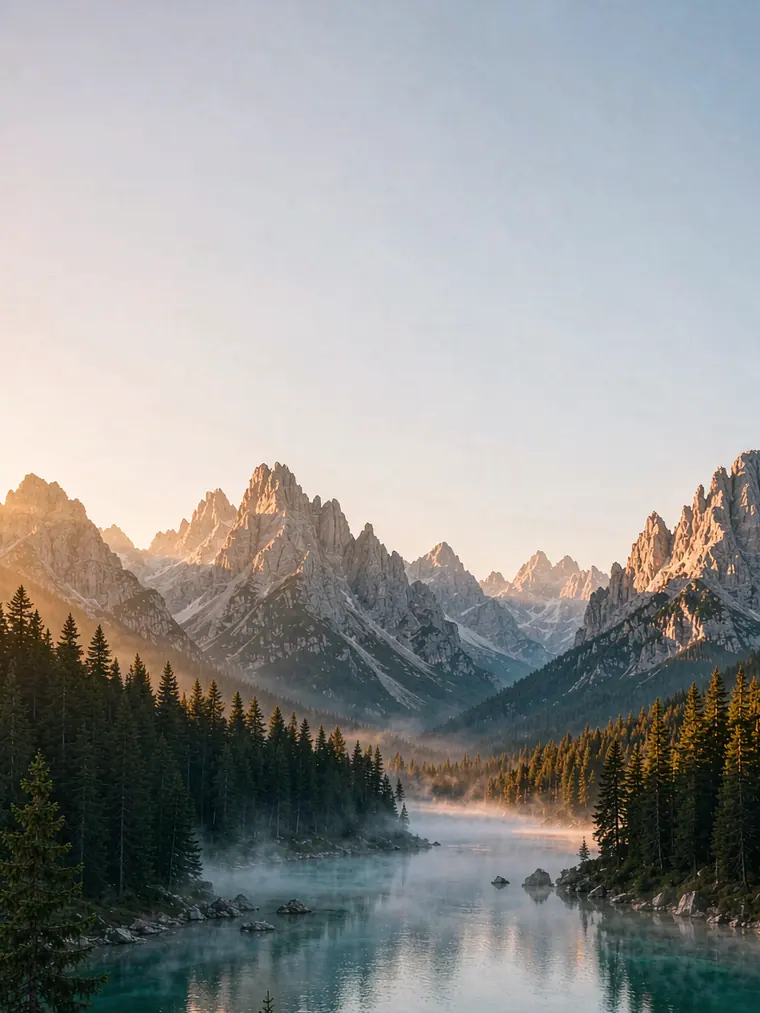
Type a headline and the layout adapts — font size, line breaks and contrast tuned automatically for the feed.
Six editorial styles with ten colour palettes. Change one variable and the whole pin stays balanced.
Export at 1000×1500, 1080×1920 or 1000×1333. Crisp type, print-quality images, no compression artefacts.
Download a single PNG, a WebP, or the whole set as a ZIP with the title and description included.
Create amazing Pinterest pins in three steps. No timeline, no layers, no learning curve.
Paste a blog link, product page or just type the topic you want to pin about.
We read the page, write the title and description, then lay out six variations.
Pick the styles that fit, export at full resolution, and publish straight to Pinterest.
Generate the pin, then use the utilities around it: headlines, keywords, alt text, image compression, contrast checks and a posting calendar.
Choose from a variety of professional designs for different niches. Every template adapts to your headline.
Export at full resolution, in the ratios Pinterest actually serves. Anything else gets cropped.
1000 × 1500 px
The default for feed, search and related pins. Use it for everything unless you have a reason not to.
1080 × 1920 px
Idea Pins and story-style placements. Keep text clear of the bottom 8% where the interface sits.
1000 × 1333 px
A taller crop for ads and email embeds. Also useful when the original photo is portrait.
Need the safe zones explained? Read the pin size guide, or check any image with the size checker.
Save time, boost engagement and get more traffic with pins designed around how people actually browse.
Eye-catching design and readable headlines built to earn saves, not just impressions.
Titles and descriptions written around real search phrases, with a clear reason to click.
Editorial layouts that look designed by a studio, not generated by a template farm.
Just enter your idea and download. The grid, margins and hierarchy are handled for you.
Not a design suite. A production line for the pins you already know you need to make.
Turn each article into two or three pins with different headlines, then let the data pick the winner.
Product pins with the right ratio, a linked destination and copy that reads like a recommendation.
Batch Studio and the content calendar keep three client accounts posting without a spreadsheet.
Start with a template, publish twice a week for a month, and you will know what your audience saves.
Bloggers, shop owners and social teams use PinPower to publish consistently without a designer.
“I used to spend an hour per pin in Canva. Now I paste the URL, pick two styles and I’m done in four minutes. Saves are up 38% in six weeks.”

“The typography is the difference. My pins finally look like they belong to a publication instead of a template.”

“Batch Studio turned a list of 12 keywords into a month of pins in one sitting. The CSV export alone pays for itself.”

“I tested four pin tools. This is the only one where the exported PNG looked identical to the preview. That matters when you publish daily.”

“The headline lab is quietly the best part. Twenty angles for one recipe, and I can see which ones fit without truncating.”

“I’m not a designer and I don’t want to be. I pick a template, change the words, and it looks like I hired someone.”

“We publish 60 pins a month across three accounts. The brand kit keeps them consistent, and the Pinterest connection saves the download-upload dance.”

“I run three client accounts from one laptop. The referral credit paid for my first month, and the calendar tool stopped me guessing what to post.”

“The pin score tool caught something I would never have noticed: my titles were being cut off at 100 characters. Saves went up the week I fixed them.”

Practical guides on design, search and analytics — written by people who publish pins every week.
Saves per pin, save rate, click-to-save ratio and four more numbers worth a monthly review — and the ones to ignore.
Read the guideA repeatable five-step process for turning one article into two on-brand pins without opening a design tool for an hour.
Read the guideThe only three dimensions you need, the safe zones Pinterest covers with UI, and why DPI does not matter on screens.
Read the guideEverything about templates, exports and ownership — answered plainly.
Yes. The Starter plan gives you 10 pin generations every day with no watermark, including all six design styles and all three pin ratios. No credit card is required — create a free account with an email and password (or Google) only if you want to keep a history of your pins.
Paste any public article, recipe or product URL. PinPower reads the page’s Open Graph metadata — title, description and lead image — then writes a pin headline, a description with hashtags and six design variations. You can edit every field before downloading.
Pins are exported at full resolution in three ratios: 2:3 (1000 × 1500 px), 9:16 (1080 × 1920 px) and 3:4 (1000 × 1333 px). Pinterest recommends 2:3 for standard pins and 9:16 for Idea Pins and Story-style placements.
No. Every template is typography-first: you type a headline and PinPower handles spacing, contrast, line breaks and safe margins. If you want control, you can change the palette, upload your own photo and pick a different style.
Yes. Upload a JPG, PNG or WebP up to 8 MB, or let PinPower pull the lead image from the URL you paste. Images are processed in your browser and are never uploaded to our servers.
Each style has multiple layout and palette variants, and your headline drives the composition. PinPower picks the variant that fits your text length, so a two-word headline and a nine-word headline never produce the same layout.
Yes. You own the pins you create and can use them commercially. You are responsible for making sure any image you supply is licensed for your use.
No. Rendering happens on a canvas inside your browser. We only store the text metadata of a generation (title, description, style) if you are signed in, so you can find it again later.
Turn your ideas into beautiful pins and grow your audience with the power of design. No credit card, no watermark.
PinPower is free for 10 pins a day. Share your link and every friend who joins adds 100 bonus pins to your account — and $5 in cash credit if they go premium.
No card needed. Unsubscribe from the programme any time.